
How to Know When Your Website Needs a Refresh (and When It Doesn’t)
10 MIN READ
Not every outdated website needs a complete redesign. Learn how to recognize what’s no longer working, what you can refresh, and when it may actually be time to start with a new foundation.
There comes a point when almost every website starts to feel a little… off.
Maybe the colors you once loved suddenly feel dated. Your photography no longer represents your business. You’ve added new services, pages, and offers over the years, and the website that once felt simple now feels pieced together.
Or maybe nothing is actually wrong—you’ve just looked at it so many times that you’re ready to change everything. Knowing the difference matters.
A website refresh doesn’t always mean starting over. Sometimes a few thoughtful updates can completely change how your website looks, feels, and functions. Other times, the business has evolved enough that the website itself is no longer giving you the foundation you need.
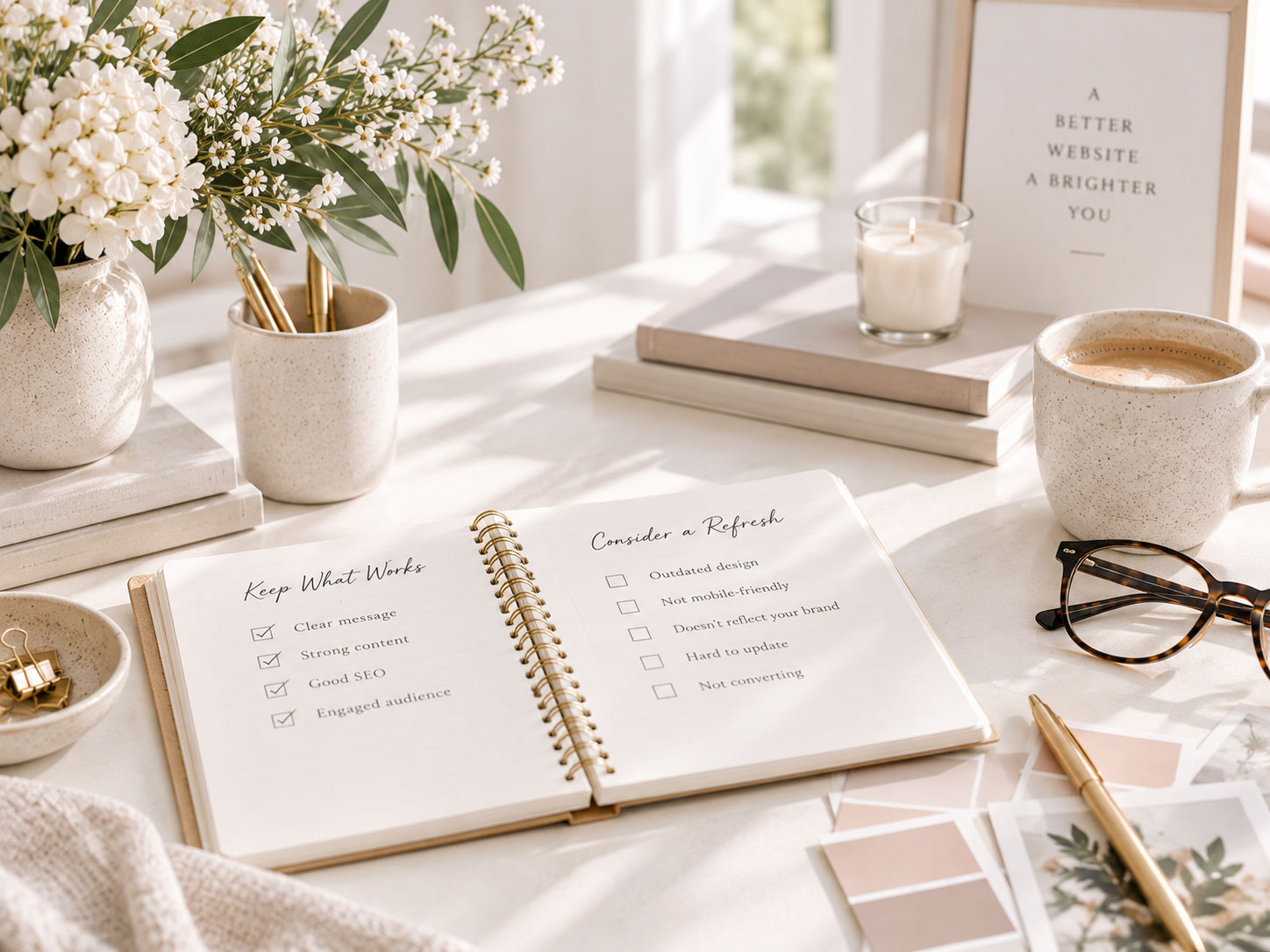
Before you replace your theme or begin a complete redesign, take a closer look at what isn’t working. The goal isn’t to have the newest-looking website—it’s to have one that still represents your brand, supports your business, and makes it easy for visitors to find what they need.
Your website doesn’t need to feel new. It needs to feel like it still belongs to your business.
In This Article
01 Start With Why You Want to Change It
02 Your Website No Longer Reflects Your Brand
03 Your Business Has Outgrown the Website
04 The Website Feels Pieced Together
05 Your Content Is Outdated
06 The Experience Isn’t Working Anymore
07 When You Probably Don’t Need a Redesign
08 What to Refresh Before Starting Over
09 When a New Theme or Redesign Makes Sense
10 Your Website Refresh Checklist
01. Start With Why You Want to Change It
IS SOMETHING WRONG—or ARE YOU JUST READY FOR SOMETHING DIFFERENT?
Before changing your website, ask yourself what is actually making you unhappy with it.
Sometimes there’s an obvious problem. Your navigation is confusing. Your business has changed. The site is difficult to use on mobile. Your services are buried. Or the design simply doesn’t reflect the quality of the business anymore.
Other times, the feeling is harder to define. You’ve been looking at the same website for three years, discovered a beautiful new design on Pinterest, and suddenly everything about yours feels wrong. That doesn’t necessarily mean you need a new website.
Try to identify the specific problem before deciding on the solution. If you can say, “My photography no longer represents my brand,” that’s something you can address. If the answer is simply, “I’m bored with it,” give yourself a little time before rebuilding everything.
Ask Yourself:
✓ What specifically feels outdated or frustrating?
✓ Has my business changed since I built this website?
✓ Are visitors struggling to find something?
✓ Is the problem visual, functional, or both?
✓ Would changing one or two things solve most of the problem?

Designer insight:
Don’t redesign your website simply because you’ve become too familiar with it. Your visitors aren’t looking at it every day. Start with what actually needs improving.
02. Your Website No Longer Reflects Your Brand
THE BUSINESS EVOLVED—THE WEBSITE DIDN’T
One of the clearest signs that your website needs attention is when there’s a noticeable disconnect between the business you have today and the website representing it.
Maybe you’ve refined your branding, changed your photography style, re-positioned your services, raised your prices, or started working with a different audience. Your business may feel more polished and established while your website still reflects where you were several years ago.
That disconnect can happen gradually, which is why it’s easy to miss. Look at your colors, typography, imagery, messaging, and overall design together. Do they still communicate the personality and quality of your brand?
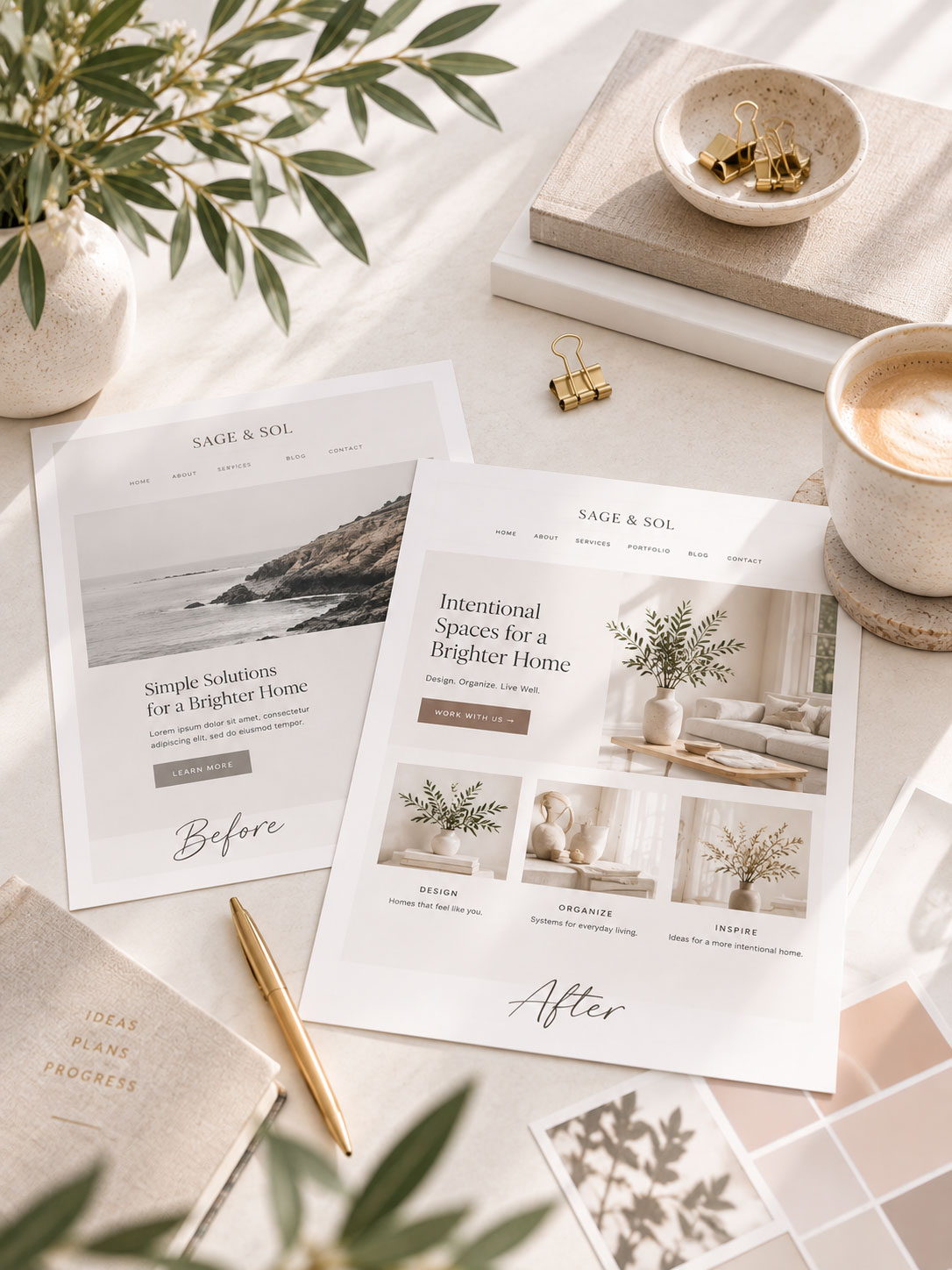
If the structure of your website still works, this may call for a visual refresh rather than a complete redesign. New photography, updated fonts, a refined color palette, and stronger copy can dramatically change how a familiar layout feels.
If your site feels visually disconnected, our guides to creating a cohesive website, choosing the right fonts, and choosing the right images for your website are good places to start.
Sometimes the website isn’t outdated. The brand has simply grown beyond it.
03. Your Business Has Outgrown the Website
YOUR WEBSITE SHOULD SUPPORT WHAT YOU DO NOW
A website that worked beautifully when you started your business may not be the website you need five years later.
Perhaps you originally needed a Homepage, About page, and Contact page. Now you offer multiple services, publish regularly, sell products, have a portfolio, grow an email list, or need resources for your audience.
Adding those things one at a time can work for a while. Eventually, though, you may find yourself constantly trying to fit new parts of the business into a structure that wasn’t designed for them.
That’s different from being tired of the design. Ask whether your website gives you room to clearly present everything your business now offers. If adding a new service, product, or content area always requires a workaround, your underlying structure may be the thing you’ve outgrown.
This is also a good time to revisit The Essential Pages Every Business Website Needs and decide whether the pages you have still match the business you’re running today.
You may outgrown your site if…
04. The Website Feels Pieced Together
YEARS OF SMALL CHANGES CAN ADD UP
Most websites aren’t built once and left untouched.
You add a new page. Then a landing page. You change a button. A year later you introduce a new color. You build a Services page differently from the rest because you saw a layout you liked. Eventually, every individual decision may be perfectly reasonable—but together they stop feeling connected.
This is when a website starts to feel pieced together.
Look for inconsistencies in button styles, heading sizes, spacing, photography, page widths, colors, calls-to-action, and the way similar content is presented across different pages.
You may not need to rebuild anything. Often, creating a small design system and applying it consistently can bring the entire website back together. Choose your primary typography, colors, button styles, image treatment, spacing, and a few repeatable section styles, then work through your important pages one at a time.
Our guide to creating a cohesive website that feels professionally designed goes deeper into exactly how to do this.
Common mistake:
Trying to fix an inconsistent website by adding more design. Often the solution is the opposite. Remove the extra styles and bring the website back to a smaller set of intentional choices.
05. Your Content Is Outdated
SOMETIMES THE DESIGN ISN’T THE PROBLEM
Before blaming your theme, read your website.
Does your Homepage still accurately describe what you do? Are your services current? Does your About page reflect your experience today? Are old offers still being promoted? Are there photos of products you no longer sell or references to parts of the business that no longer exist?
Outdated content can make an otherwise beautiful website feel surprisingly old. Sometimes what feels like a design problem is actually a content problem.
Update the pages people visit most first. Rewrite unclear headlines, remove outdated information, replace old testimonials, update photography, check links, and make sure every call-to-action still leads somewhere useful.
If the words are the part you’ve been avoiding, Practical Tips to Help You Write Better Website Copy can help you work through the most important messaging on your site.
Start With…
You may be surprised by how different your website feels when the content finally reflects the business you have today.
06. The Experience Isn’t Working Anymore
A BEAUTIFUL WEBSITE STILL NEEDS TO BE EASY TO USE
A visual refresh can make a website feel new, but it won’t solve underlying usability problems.
If visitors struggle to navigate the site, buttons are difficult to find, pages load slowly, important information is buried, forms don’t work well on mobile, or people repeatedly contact you asking where to find something, those are signs worth paying attention to.
Look at the website as a visitor rather than as the person who built it. Can someone quickly understand what you do? Can they find your services, products, blog, or contact information? Is the navigation predictable? Does everything work comfortably on a phone?
You already know where everything is, so your website will always feel easier to you than it does to someone seeing it for the first time.
If speed is part of the problem, start with How to Make Your Website Load Faster: A Beginner’s Guide to Website Speed. If navigation is causing friction, your Website Navigation Best Practices guide is the natural next step.
A refresh should solve a problem—not simply give you something new to look at.
07. When You Probably Don’t Need a Redesign
NOT EVERY ITCH NEEDS TO BE SCRATCHED
There are plenty of good reasons to update a website. There are also plenty of reasons that feel urgent but probably aren’t.
You may not need to redesign your website simply because you saw a new trend you love, a competitor launched a new site, your favorite designer changed their branding, or you’re tired of looking at your own homepage.
Trends move quickly. A website built around every new design trend will always feel like it needs another redesign.
If your website still represents your brand, supports your business, works well for visitors, and gives you the flexibility you need, consider refreshing a few elements rather than starting over.
You May Just Need:
Small changes can have a surprisingly large impact when the underlying foundation is still good.
Designer insight:
Being bored with your website and having outgrown your website are two very different things. Learn to recognize which one you’re feeling before you rebuild.
08. What to Refresh Before Starting Over
START WITH THE CHANGES THAT HAVE THE BIGGEST IMPACT
If you’re not sure whether you need a complete redesign, start smaller.
Photography is often one of the fastest ways to change the feeling of a website. Updating dated or inconsistent images can immediately make familiar layouts feel more current.
Typography and color can have a similar effect. A refined font pairing or simplified palette can shift the personality of your entire site without changing its structure.
Then look at your content and organization. Simplify your navigation, rewrite the most important copy, remove sections that no longer serve a purpose, and make your calls-to-action clearer.
I would work through the refresh in this order:
01. Content — Remove anything outdated or unnecessary.
02. Photography — Replace imagery that no longer represents your brand.
03. Typography — Simplify and create a clear hierarchy.
04. Color — Refine the palette rather than adding more.
05. Navigation — Make important content easier to find.
06. Layout — Adjust sections that genuinely aren’t working.
Then step back and look at the website again. You may discover that you didn’t need a new website at all.
09. When a New Theme or Redesign Makes Sense
SOMETIMES THE FOUNDATION REALLY IS THE PROBLEM
There are times when refreshing individual elements isn’t enough.
If your website’s structure no longer supports your business, the design is difficult to customize, important functionality is missing, the site doesn’t work well across devices, or every small change requires another workaround, starting with a stronger foundation may actually be the simpler solution.
A new theme or redesign also makes sense when your business has changed significantly enough that you’re no longer trying to update the old website—you’re essentially trying to turn it into something it was never designed to be.
The decision shouldn’t be based solely on age. A well-designed five-year-old website may still work beautifully, while a website built last year may already be wrong for the business.
Ask whether the foundation still supports what you need. If it does, refresh it. If it doesn’t, rebuilding may be the right investment.
Don’t start over because your website is old. Start over when the foundation no longer supports where your business is going.
10. Your Website Refresh Checklist
REFRESH OR REDESIGN?
Before deciding, work through these questions.
YOUR BRAND
✓ Does the website still look and feel like your business?
✓ Do the colors, fonts, photography, and messaging feel cohesive?
✓ Does the quality of the website reflect the quality of your work?
YOUR CONTENT
✓ Is the information accurate and current?
✓ Are your most important services or products easy to understand?
YOUR STRUCTURE
✓ Does everything your business offers have a logical place?
✓ Is your navigation clear?
✓ Can visitors easily find what matters most?
YOUR EXPERIENCE
✓ Does the website work well on mobile?
✓ Does it load efficiently?
✓ Are buttons, forms, and links easy to use?
✓ Are visitors able to take the next step without confusion?
YOUR FOUNDATION
✓ Can you make the changes your business needs without constant workarounds?
✓ Does your current theme still give you enough flexibility?
✓ Would updating the content and design solve the problem—or are you trying to turn the website into something fundamentally different?
Key Takeaways ✓
The goal isn’t to have a new website. It’s to have a website that still works for the business you’re building.
Ready for a Fresh Start?
Sometimes a few thoughtful updates are all your website needs. And sometimes, a new foundation makes everything easier.
Explore WordPress themes designed to give your business a beautiful, flexible place to grow.
Some Common Design Questions
Still have questions? Here are a few quick answers to some of the most common questions about this topic.